How Do I Set Up Fibre Internet in Warsaw?
Landing in Warsaw, you quickly realize that while the city is a vibrant hub of culture and opportunity, getting your digital life sorted can feel like navigating a bureaucratic maze. Setting up home internet, especially fibre, is one of those essential steps that can leave even the most seasoned expat scratching their head. This comprehensive guide is here to demystify the process of getting lightning-fast fibre internet installed in your Warsaw apartment, walking you through every step, from choosing a provider to the technician's visit.
Understanding Fibre Internet in Warsaw
Let's be real, slow internet is a non-starter in today's world, whether you're working remotely, streaming your favourite shows, or just trying to video call family back home. Fibre optic internet (światłowód in Polish) is absolutely the gold standard here, offering unparalleled speed and reliability. Warsaw is generally very well-covered, especially in modern buildings and city centres, but it's crucial to understand the specifics.
Why Fibre is the Way to Go for Expats
When you're settling into a new country like Poland, reliable internet isn't just a luxury; it's a lifeline. Fibre optic internet provides symmetrical speeds (upload and download speeds are often similar), which is fantastic for those of us who rely on video conferencing or frequently send large files. Forget about buffering during your evening Netflix binge or dropped calls during important work meetings. The stability of fibre connections also means fewer interruptions, which is a blessing when you're trying to figure out how to pay your Polish utility bills or simply stay connected with your support network.
Moreover, in a city as dynamic as Warsaw, where many expats work from home or engage in online learning, the demand for high-performance internet is significant. Standard DSL or even older cable connections simply can't compete with the raw data transfer capabilities and low latency that fibre offers. For anything from intense gaming sessions to running a home office with multiple devices, fibre provides that smooth, seamless experience you just can't get otherwise. Plus, if you're like me and need to quickly upload photos or videos to share your Polish adventures, those fast upload speeds are an absolute dream.
Key Fibre Terms and Speeds You'll Encounter
Navigating the jargon of internet plans can be a headache, especially in a foreign language. When you see "światłowód," you know it's fibre. Speeds are typically advertised in Megabits per second (Mbps) or Gigabits per second (Gbps). You'll commonly see plans ranging from 300 Mbps, 600 Mbps, to 1 Gbps (which is 1000 Mbps), and sometimes even 2 Gbps. What do these numbers really mean for you?
- 300 Mbps: This is a solid entry-level fibre speed, perfectly adequate for a household of 1-2 people streaming, browsing, and occasional video calls. You won't struggle with most day-to-day tasks.
- 600 Mbps: A great mid-range option for families or multiple users with heavier demands, like simultaneous 4K streaming, online gaming, and frequent large downloads.
- 1 Gbps (1000 Mbps) or higher: This is top-tier speed, ideal for power users, large households, or anyone who absolutely needs the fastest connection possible. Think professional gamers, graphic designers, or households with extensive smart home ecosystems.
It's also worth noting "upload speed." While download speed (how fast you receive data) is often highlighted, upload speed (how fast you send data) is crucial for video calls, uploading content, and cloud backups. Fibre often offers much better upload speeds than traditional connections. When comparing providers, always look at both numbers. You'll also encounter terms like "router" (the device that creates your Wi-Fi network) and "modem" (which connects your home to the internet line). Often, these are combined into a single device provided by your internet company.
Checking Availability in Your Warsaw Neighbourhood
Before you get too excited about specific plans, the first step is always to check what's actually available at your address. Warsaw is pretty advanced in terms of fibre rollout, but availability can still vary block by block, or even building by building. Many apartment buildings have exclusive agreements with one or two fibre providers, especially older buildings that have been retrofitted.
The easiest way to check is to go directly to the websites of the major Polish internet providers – we'll talk about them soon – and use their online availability checkers. You'll typically enter your street name and apartment number (ulica and numer mieszkania). Sometimes, if your building is very new, it might not be in their database yet, or the fibre infrastructure is still being finalized. If the online checker doesn't work, don't despair! Call their customer service (look for English-speaking lines if possible) or visit a physical store. They can often tell you definitively what's wired to your building. If you're currently in the process of securing your rental, your landlord or the building administrator might also know which providers service the property. This information can even influence your decision on How Much Does It Cost to Rent an Apartment in Warsaw in 2026? as some rentals include internet in the czynsz (administration fees).
Choosing Your Fibre Internet Provider
Alright, so you know fibre is the goal, and you've got a general idea of the speeds. Now comes the decision: which provider to choose? This is where many expats hit a wall, as the choices can seem overwhelming, and the contracts, well, they're in Polish.
Major Providers and Their Offerings
Warsaw has a competitive internet market, which is generally good news for consumers! The main players you'll encounter for fibre internet are:
- Orange Polska: Often considered the incumbent, Orange has a vast fibre network across Poland. They offer a range of speeds and bundles, and their customer service often has English-speaking options. Their fibre is generally very stable, and they frequently run promotions. You can often get good deals on their "Orange Love" bundles, which combine internet, TV, and mobile services.
- Play (formerly UPC Polska): Play acquired UPC Polska, which used to be a very popular cable internet provider. They have been aggressively expanding their fibre network and upgrading their existing cable infrastructure to offer fibre-like speeds. Play is known for competitive pricing and often has tempting introductory offers. Their network is particularly strong in many residential areas of Warsaw.
- Vectra: Another significant player, Vectra also offers fibre connections in many parts of Warsaw. They're known for their flexible plans and often offer good value, especially if you're looking for internet-only packages without TV.
- T-Mobile: While primarily known for mobile services, T-Mobile also offers home internet, including fibre in some areas, leveraging their own network or partnerships. Their offers can be particularly attractive if you're already a T-Mobile mobile customer.
Each provider will have slightly different coverage and promotions, so it's always worth checking them all for your specific address. Remember, while you might have an initial mobile data solution like a temporary eSIM from Airalo when you first arrive, getting a stable home fibre connection is a completely different ball game for long-term comfort.
Deciphering Contracts and Hidden Fees
This is probably the trickiest part for most foreigners in Poland. Polish contracts (umowa) are legally binding and often include clauses that can be confusing if you're not fluent in Polish. Here's what you absolutely need to pay attention to:
- Contract Length (Okres zobowiązania): Most fibre contracts in Poland come with a minimum commitment period, typically 12 or 24 months. If you cancel before this period is up, you'll likely face hefty penalties. Be sure you're comfortable with the duration.
- Monthly Fee (Opłata miesięczna): Sounds obvious, but check if the promotional price applies for the entire contract duration or just the first few months. Many providers offer a lower price for the first 6-12 months, then it jumps up.
- Activation Fee (Opłata aktywacyjna): Some providers charge a one-time fee to set up your service. Sometimes this is waived during promotions.
- Installation Fee (Opłata instalacyjna): Separate from activation, this covers the technician's visit and the physical work of connecting your home. Again, check if it's included or an extra cost.
- Equipment Rental/Purchase (Wynajem/Zakup sprzętu): Most providers include the router/modem in the monthly fee or for a small rental charge. Make sure you know if it's a rental (and needs to be returned) or if you own it.
- Notice Period (Okres wypowiedzenia): Even after your minimum contract length, you usually need to give a notice period (often 1 or 3 months) to cancel your service.
Always ask for an English version of the terms and conditions if available, or bring a Polish-speaking friend to help you. It's also wise to ask them to explain all the charges in detail. Don't be shy about asking questions! Remember, setting up internet is one of the many critical steps when you're The Expat Guide to Moving to Poland from a Non-EU Country (2027) or even from within the EU, so take your time.
Bundle Deals and Additional Services
Many internet providers in Poland, like elsewhere, try to upsell you on bundle deals. These often combine fibre internet with:
- TV Packages (Telewizja): Digital cable or IPTV with a wide range of channels, often including international options. If you're a big TV watcher, these can offer good value.
- Mobile Phone Services (Telefon komórkowy): Integrating your mobile plan with your home internet can sometimes lead to significant savings and simplifies billing.
- Landline Phone (Telefon stacjonarny): Less common now, but still an option for some traditional households.
While bundles can be attractive, always calculate if you truly need all the services. Sometimes an internet-only plan, combined with a separate mobile plan from a budget carrier and your streaming subscriptions, works out cheaper. For instance, if you're just looking for how to choose a reliable How to Choose a Mobile and Internet Provider in Poland rather than an entire package, focus on that first. However, if you're moving your whole life with services like Sirelo helping you with logistics, a comprehensive bundle might offer a convenient, all-in-one solution from a single provider. It’s all about balancing cost with convenience and actual need.
Comparison Table of Typical Fibre Internet Offerings in Warsaw (Indicative)
| Provider | Typical Speeds (Download/Upload) | Contract Length | Est. Monthly Price (PLN) | TV Bundle Option | Mobile Bundle Option | English Support | Notes |
|---|---|---|---|---|---|---|---|
| Orange | 300/50 Mbps, 600/100 Mbps, 1/0.6 Gbps | 12/24 months | 50-90 (promo) / 70-120 (std) | Yes | Yes | Often | Strong network, popular bundles, may require Orange SIM for best mobile deals. |
| Play | 300/30 Mbps, 600/60 Mbps, 1/1 Gbps | 12/24 months | 45-85 (promo) / 60-110 (std) | Yes | Yes | Limited | Aggressive pricing, especially after UPC acquisition. Good speeds, but check actual upload for higher tiers. |
| Vectra | 300/50 Mbps, 600/60 Mbps, 1/1 Gbps | 12/24 months | 40-80 (promo) / 60-100 (std) | Yes | Limited | Sometimes | Value-oriented, good for internet-only. Check availability thoroughly as coverage varies. |
| T-Mobile | 300/50 Mbps, 600/100 Mbps | 12/24 months | 55-95 (promo) / 75-125 (std) | Yes | Yes | Often | Best for existing T-Mobile mobile customers due to integrated offers. |
Disclaimer: Prices are indicative, based on typical promotions and standard rates observed in early 2024, and may vary greatly based on specific promotions, location, and chosen package. Always check current offers directly with providers.
The Installation Process: What to Expect
You've chosen your provider, signed the umowa, and now the waiting game begins. The actual installation of fibre internet in Warsaw is usually quite smooth, but it requires coordination.
The Application and Documentation Dance
Once you've settled on a provider and plan, the application process will typically require a few key documents. You'll definitely need a valid ID (passport, residence card) and proof of address. Sometimes, they might ask for your PESEL number, though this isn't always strictly mandatory for internet contracts, especially if your building already has the fibre infrastructure. If you don't have a PESEL yet, don't worry, it's possible to get things started without it, but it might simplify future interactions. Getting your How to Get Your PESEL Number and Why It Matters for Healthcare is a good idea for any long-term resident.
The provider will set an appointment for a technician to visit your apartment. This appointment is crucial, so make sure you confirm the date and time, and ideally, have someone who speaks Polish present if your own language skills aren't strong enough to explain specifics. It's often easier to make these arrangements in person at a provider's store or with the help of a Polish speaker. When you're dealing with all the other admin of The Expat Guide to Setting Up Utilities in Poland, booking a specific time for installation can feel like another hurdle, but it's well worth getting it right.
The Technician Visit and Home Setup
On the scheduled day, a technician (monter) will arrive. This visit is usually pretty straightforward, lasting anywhere from 30 minutes to a couple of hours, depending on whether your building is already fully wired or if new cabling needs to be run to your specific unit.
The technician will:
- Locate the fibre optic cable: This usually comes into your building and then into your apartment, often near the main entrance or an existing TV/phone socket.
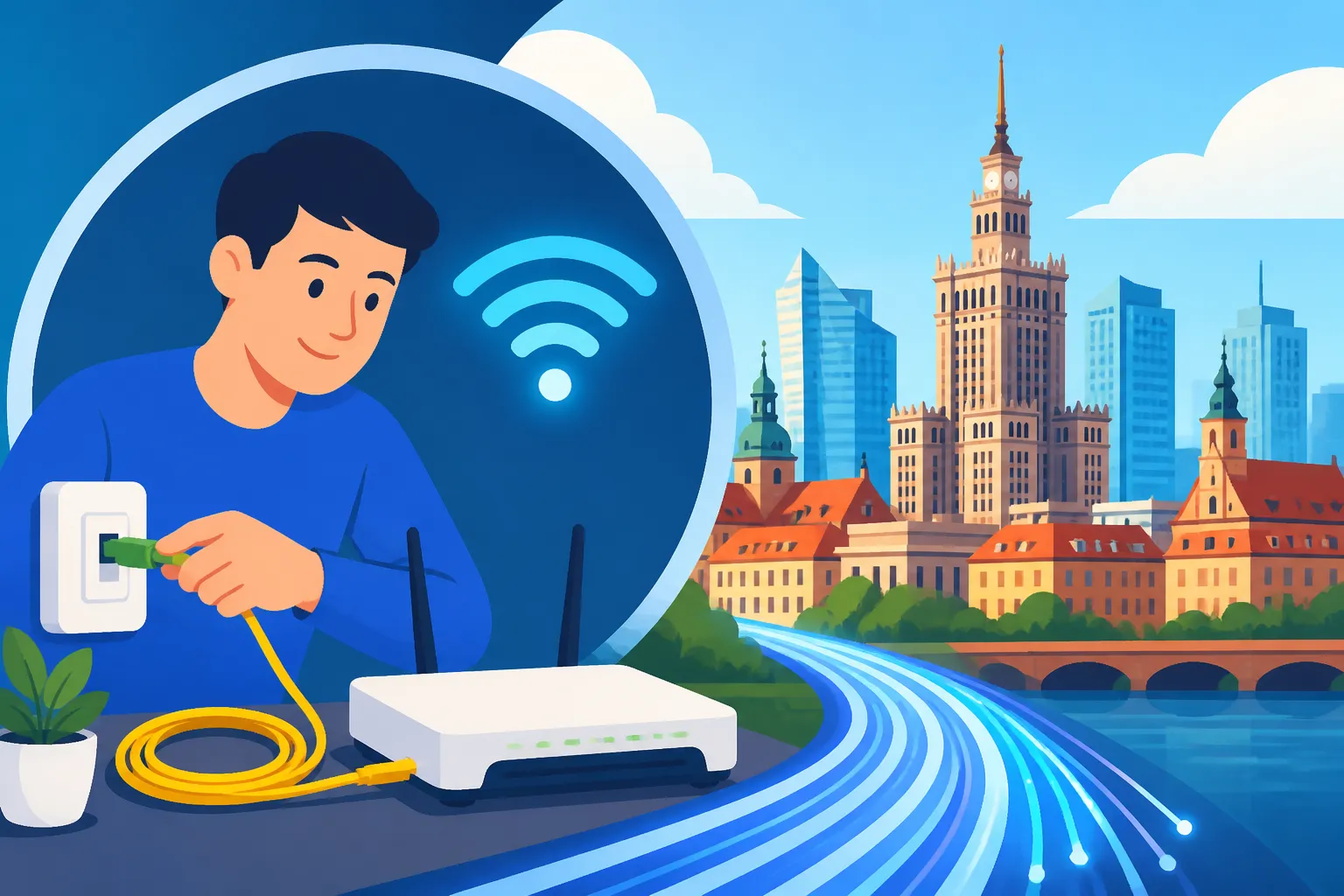
- Install an Optical Network Terminal (ONT): This small box converts the optical signal from the fibre cable into an electrical signal that your router can understand. This is the crucial fibre-specific piece of equipment.
- Connect the Router: Your Wi-Fi router will be connected to the ONT. The technician will typically place it in a central location for the best Wi-Fi coverage, though you can always discuss placement.
- Activate and Test: They'll activate your service and test the connection speeds to ensure everything is working as promised. You should see a green light on your router indicating an active internet connection.
- Configure Wi-Fi: The technician will usually help you set up the Wi-Fi network name (SSID) and password. Make sure you write these down!
It's a good idea to ensure you have clear access to the main utility points in your apartment for the technician. If you have any specific preferences for where the router should be placed (e.g., near your home office setup), communicate this clearly. Having an idea of your apartment's layout and where power sockets are available will be helpful. This is another area where using a platform like Sirelo to plan your move can help you think about these practical details in advance.
Activation and First Use
Once the technician leaves, your fibre internet should be up and running! They'll confirm that the service is active and tested. At this point, you can connect your devices – laptops, smartphones, smart TVs – to the new Wi-Fi network using the password the technician provided.
It's a good practice to immediately run a speed test on a connected device (many free online tools exist, like Speedtest.net) to verify that you're getting speeds close to what you signed up for. Keep in mind that Wi-Fi speeds can be slightly lower than wired connections due to interference, but they should still be robust. If you experience any immediate issues or find that the speeds are significantly lower than advertised, don't hesitate to contact the provider's technical support right away. They can often troubleshoot remotely or schedule a follow-up visit. Getting this right from the start is as important as properly managing your How to Set Up Electricity in Your Polish Home.
Troubleshooting and Post-Installation Tips
Even with the best fibre internet, hiccups can happen. Knowing how to handle common issues and manage your account effectively will save you a lot of frustration down the line.
Common Issues and Quick Fixes
Most internet problems can be resolved with a few simple steps. Before you call customer service, try these:
- Restart Your Router: The classic "turn it off and on again" works wonders for many internet issues. Unplug your router and ONT (the small fibre box) from the power outlet, wait about 30 seconds, then plug them back in. Give them a few minutes to fully reboot.
- Check Cables: Ensure all cables are securely plugged in – the fibre cable into the ONT, the Ethernet cable from the ONT to the router, and the power cables. A loose connection can often be the culprit.
- Check Lights on Router/ONT: Most routers and ONTs have indicator lights. Consult your device's manual or the provider's website to understand what each light signifies. A red light usually indicates a problem, while solid green or blue lights typically mean everything is working.
- Test with a Wired Connection: If your Wi-Fi is acting up, try connecting a laptop directly to the router with an Ethernet cable. If the wired connection works fine, the issue might be with your Wi-Fi signal (e.g., interference, router placement, or settings), not the internet line itself.
- Move Your Router: If Wi-Fi coverage is spotty, try moving your router to a more central location, away from thick walls or other electronics that might cause interference.
Sometimes, the issue isn't even your internet. If you're struggling to access a particular website or service, it might be a problem on their end. It's always worth checking a few different sites to confirm if the internet outage is widespread or specific.
Managing Your Account and Customer Service
Once your fibre internet is installed, you'll want to get familiar with managing your account. Most providers offer online portals (often called "panel klienta" or similar) or mobile apps where you can:
- View your bills (faktury): You can often download PDF versions of your monthly invoices.
- Check your usage: While fibre typically has unlimited data, you can still monitor usage if you're curious.
- Change your plan: If you want to upgrade or downgrade your speed, this can often be done online or via customer service.
- Manage Wi-Fi settings: Some portals allow you to change your Wi-Fi name or password.
- Report issues: You can open support tickets or find contact information for technical assistance.
Customer service in Poland can sometimes be a challenge if you don't speak Polish. Many of the larger providers like Orange and Play do offer English-speaking helplines, but you might need to navigate an automated menu in Polish first. Look for options related to "English service" or "obsługa w języku angielskim." Be prepared to provide your customer ID (numer klienta) and address. While the mObywatel app is fantastic for many official tasks, it won't directly help with internet provider customer service, but it's still good to know about Understanding mObywatel and e-Government Services in Poland for other aspects of life here.
When to Consider Switching Providers
Most fibre internet contracts in Poland have a minimum commitment period, usually 12 or 24 months. You generally cannot switch providers without penalty during this time unless the provider fails to deliver the promised service consistently, which can be hard to prove.
However, once your contract term is nearing its end, that's a prime opportunity to either renegotiate with your current provider for a better deal or switch to a new one. Providers often offer attractive promotions to new customers that aren't available to existing ones. Don't be afraid to call your current provider and mention that your contract is expiring and you're considering other options; they might surprise you with a competitive retention offer. If you do decide to switch, remember the notice period (okres wypowiedzenia) mentioned earlier. You need to inform your current provider in writing (often by registered mail, or via their online portal) that you wish to terminate your service. Missing this crucial step can lead to your contract automatically renewing or being charged for an additional month or two. This is very similar to how you manage your lease when you How to Sign a Rental Contract (Umowa Najmu) in Poland in the first place, so always read the fine print!
Disclaimer
The information provided in this guide is for general informational purposes only and does not constitute professional advice. While we strive to keep the information accurate and up-to-date, market conditions, provider offers, and administrative procedures in Poland can change rapidly. Always verify current details directly with internet service providers or relevant authorities. Individual experiences may vary.