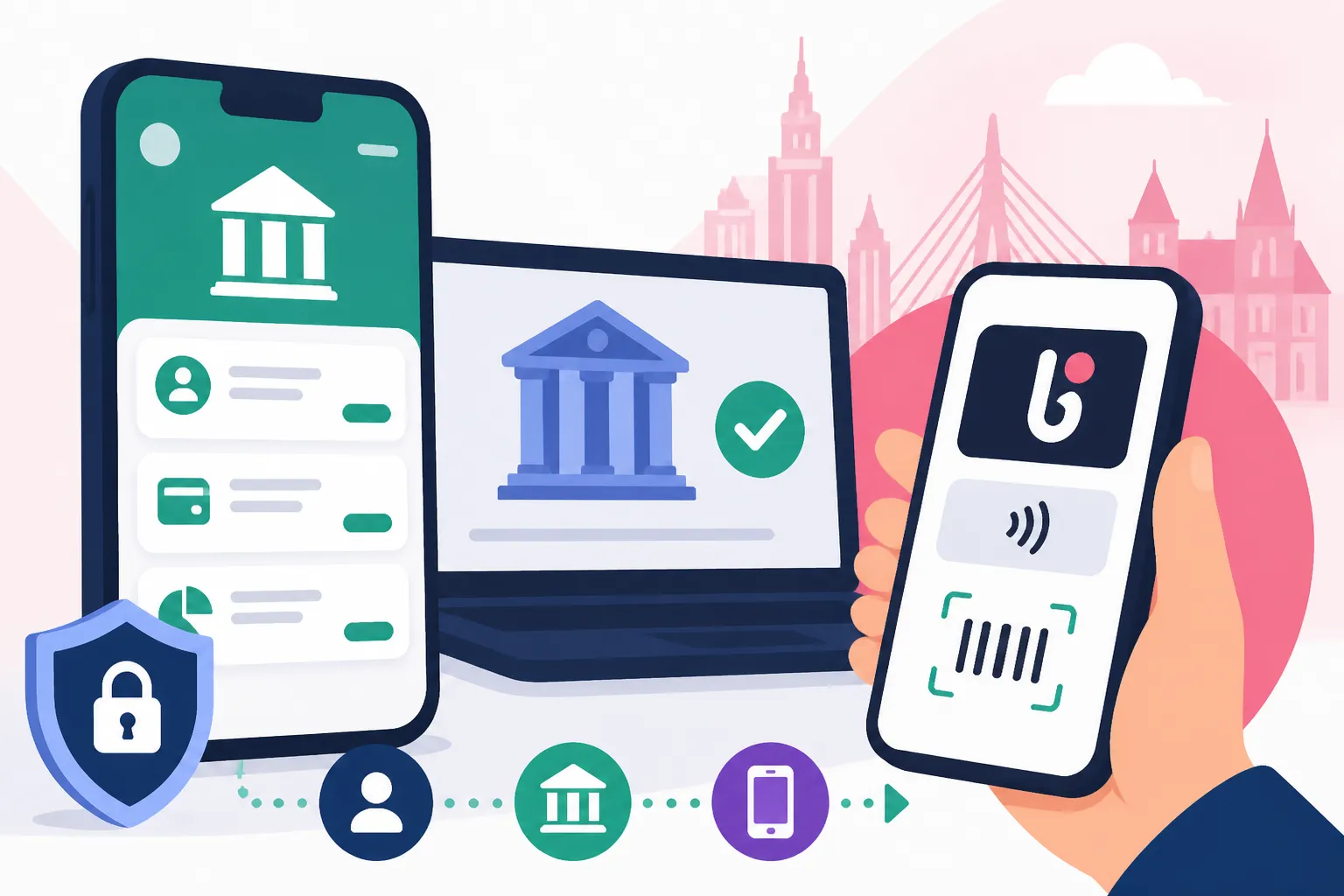
How to Set Up Online Banking and BLIK Payments in Poland
Navigating the financial landscape in a new country can feel like trying to decipher an ancient scroll while blindfolded, and Poland is no exception. Many expats arrive ready to embrace their new life, only to hit a wall when faced with the intricacies of setting up a local bank account and understanding payment systems like BLIK. This guide is here to untangle the bureaucratic knots and cultural nuances, providing you with a clear, empathetic path to mastering online banking and BLIK payments in Poland, ensuring your money works for you, not against you.
Navigating Polish Banking as an Expat: Initial Hurdles
When you first land in Poland, setting up your financial life can feel like a daunting task. You've just unpacked your bags, maybe found a temporary place to stay, and now you're faced with opening a bank account, which is often the first real encounter with Polish bureaucracy for many of us. It's not just about finding a bank; it's about understanding the system that underpins everything.
The Language Barrier and Bureaucracy
Let's be honest, the Polish language, while beautiful, isn't the easiest to pick up on the fly. And when it comes to legal and financial terms, it becomes even more impenetrable. I remember my first time trying to understand a bank statement – it felt like a secret code. Many bank staff, especially in smaller branches outside major cities like Warsaw or Krakow, might not be fully fluent in English, which can lead to frustrating misunderstandings. You might find yourself nodding along, pretending to understand, only to realize later you've agreed to a service you don't need or haven't fully grasped the fees. The sheer volume of paperwork, often entirely in Polish, is enough to make anyone's head spin. Every form seems to require information you don't have, or a signature witnessed by a mythical Polish official. It’s a rite of passage for every expat, and it teaches you patience, if nothing else!
Understanding PESEL and NIP Requirements
Before you even think about opening a bank account, you'll inevitably run into two acronyms that are absolutely central to life in Poland: PESEL and NIP. The PESEL (Powszechny Elektroniczny System Ewidencji Ludności, or Universal Electronic System for Registration of the Population) is your eleven-digit national identification number. It's like your social security number, national insurance number, and tax ID all rolled into one. You'll need it for almost everything: getting a job, signing a rental agreement, registering for healthcare, and, yes, opening a bank account. Many banks will insist on a PESEL, particularly if you want to set up a full-service account with online banking and BLIK. While some expat-friendly banks might let you open a basic account with just your passport and residency documents, having a PESEL streamlines the entire process significantly. You can learn more about How to Get Your PESEL Number and Why It Matters for Healthcare in our dedicated guide.
The NIP (Numer Identyfikacji Podatkowej, or Tax Identification Number) is a ten-digit number specifically for tax purposes, primarily for those who are self-employed or run a business. If you're employed by a Polish company, your PESEL will usually suffice for tax purposes, as your employer handles your tax declarations using it. However, if you're a freelancer, run your own JDG (Jednoosobowa Działalność Gospodarcza, or sole proprietorship), or have other complex tax situations, you might need a NIP. While most banks don't require a NIP to open a personal account, it's good to be aware of its existence, especially as you delve deeper into The Complete Guide to Taxes in Poland for Expats (2027). The distinction between PESEL and NIP can be confusing, but generally, for personal banking, PESEL is your key.
Step-by-Step: Setting Up Your Online Bank Account in Poland
Once you've wrapped your head around the initial hurdles, the actual process of setting up your bank account can be surprisingly smooth, especially if you go in prepared. It's all about choosing the right institution and having your ducks in a row.
Choosing the Right Bank for Expats
This is where a little research goes a long way. Not all Polish banks are created equal when it comes to expat services. Some have dedicated English-speaking staff, comprehensive English online banking platforms, and apps, while others are more traditional and Polish-centric. Big names like PKO BP, Santander Bank Polska, mBank, ING Bank Śląski, and Bank Pekao SA are generally good bets, as they are larger institutions with more resources dedicated to international clients.
When choosing, consider these factors:
- English-speaking support: Can you easily get help in English, both in branches and via their hotline? This is invaluable.
- Online banking and mobile app in English: A non-negotiable for most expats. Being able to manage your money without a dictionary is a huge relief.
- Fees: Look at monthly account maintenance fees, fees for ATM withdrawals (especially from other banks), international transfer fees, and debit card fees.
- Ease of opening: Some banks are more flexible with initial documentation than others.
- Branch network: Do they have branches conveniently located near your home or work? While online banking is key, sometimes you need to visit a physical branch.
Many expats find that mBank or ING Bank Śląski offer particularly user-friendly online experiences and good English support. Santander also has a strong presence and often caters well to international customers. I always recommend asking other expats in your city for their personal experiences – word of mouth is often the most reliable guide! Our guide on How to Choose the Best Bank for Expats in Poland dives deeper into this topic.
The Account Opening Process and Required Documents
Alright, you've picked your bank. Now for the actual opening! The process typically involves a visit to a branch, though some banks, especially for certain nationalities, might allow for online applications or video verification.
Here's what you'll generally need:
- Valid Passport or EU ID Card: Your primary identification.
- PESEL Number: As discussed, this is highly recommended, if not mandatory for a full account. If you don't have one, some banks might open a basic account with your visa/residence permit, but expect limitations.
- Proof of Address: This can be tricky if you've just arrived. A rental agreement (umowa najmu) in your name, a utility bill, or even a letter from your employer confirming your address might be accepted. Sometimes, just having your address written on your temporary residence permit (Karta Pobytu) is enough.
- Proof of Employment/Income: While not always strictly required for a basic account, it helps establish your financial standing, especially if you're applying for any credit products or more advanced accounts. A contract of employment (umowa o pracę) or a declaration from your employer is usually sufficient.
The bank staff will help you fill out the application forms. Be patient, ask questions if anything is unclear, and don't hesitate to request an English speaker if available. Once approved, you'll usually get your account number immediately. Your debit card typically arrives by post within a few business days, and sometimes the PIN is sent separately for security reasons. Remember to activate your card once it arrives, often by making your first purchase or an ATM withdrawal. This process is detailed further in What Documents Do I Need to Open a Bank Account in Poland?.
Activating Your Online Banking Portal
Once your account is open and you have your debit card, the next crucial step is activating your online banking. This is usually done through a combination of a temporary login (provided at the bank or sent via SMS/email) and your card details.
The general steps are:
- Receive Initial Login Details: The bank will give you a temporary username or login ID and a temporary password. This might be printed on a document, sent via SMS, or provided in a secure envelope.
- Visit the Bank's Website: Navigate to the bank's official online banking portal. Make sure it's the correct, secure address (look for "https://" and a padlock icon).
- Enter Temporary Credentials: Input the temporary login and password.
- Set Up New Credentials: You'll be prompted to create your own unique username (or confirm the one given) and a strong, new password. This is usually where you also set up a security phrase or answer security questions.
- Activate Mobile App (Optional but Recommended): Most Polish banks have excellent mobile banking apps. Once your online banking is set up, download the app and link it to your account. This often involves scanning a QR code from your online banking portal or entering a code sent via SMS. You'll then set up a separate PIN or biometric login for the app.
Polish online banking platforms are generally very secure and intuitive, even if the initial setup can feel a bit clunky. They offer a wide range of functionalities from checking balances, making transfers, paying bills, to managing your card limits. I've found that once you get past the initial hurdle, these platforms are quite robust. Our article How to Set Up Online Banking at mBank or Santander? provides more specific guidance for these popular choices.
Diving into BLIK Payments: What It Is and Why Expats Love It
If there's one payment system that truly sets Polish banking apart and makes life incredibly convenient, it's BLIK. As an expat, understanding and adopting BLIK will seriously level up your local financial game. It’s uniquely Polish, widely adopted, and incredibly simple.
The Magic of BLIK: Instant Payments Simplified
BLIK is a mobile payment system developed by Polish banks, allowing you to pay for goods and services, withdraw cash from ATMs, and send money to other BLIK users directly from your smartphone, without needing your card or even your wallet. The magic lies in its simplicity: a six-digit code. Every transaction requires you to generate a unique BLIK code in your bank's mobile app, which is valid for a short time (usually 2 minutes). You then enter this code into a payment terminal, ATM, or online checkout, and confirm the transaction in your app.
Why do expats love it?
- Speed and Convenience: No fumbling for cards, no chip-and-PIN. Just whip out your phone, get the code, and you're done. It's incredibly fast, especially for online shopping.
- Security: Each code is single-use and time-limited, and every transaction needs to be confirmed in your secure banking app. If someone steals your phone, they can't make BLIK payments without also having access to your banking app's PIN or biometrics.
- Widespread Acceptance: BLIK is everywhere in Poland. You'll find it at most online stores, physical shops, restaurants, and ATMs. It's truly ubiquitous.
- Free Transactions: For most personal use cases, BLIK transactions are free, including ATM withdrawals. This is a huge bonus compared to card-based ATM fees.
It truly is a game-changer for everyday life here. I remember being confused by it at first, seeing Poles quickly type in codes at the supermarket. Once I started using it, I wondered how I ever lived without it.
Setting Up BLIK in Your Banking App
Setting up BLIK is usually straightforward once you have your bank's mobile app configured for online banking. BLIK is integrated directly into the banking apps of most major Polish banks.
Here’s how it generally works:
- Download and Log In to Your Bank's Mobile App: Make sure you have the official app from your bank (PKO BP IKO, Santander mobile, mBank PL, ING Bank Śląski, Bank Pekao PeoPay, etc.).
- Find the BLIK Option: Look for a prominent "BLIK" button or section within your app's main interface. It's usually easy to spot.
- Activate BLIK: The app will guide you through a simple activation process. This often involves confirming your phone number, accepting terms and conditions, and possibly setting a daily limit for BLIK transactions. Some banks might require a final confirmation via SMS or a push notification.
- Set Your BLIK PIN (Optional/Bank-Specific): Some banks allow you to set a separate BLIK PIN for certain types of transactions, though often the main banking app PIN or biometric authentication (fingerprint/face ID) is used for BLIK confirmations.
That's usually it! Once activated, you're ready to start generating codes and making payments. You'll notice a significant improvement in the speed of your transactions once you're comfortable with BLIK.
How to Use BLIK for Online, In-Store, and ATM Transactions
Learning the ropes of BLIK for different types of transactions will save you time and hassle.
1. Online Purchases:
- When checking out online, look for the BLIK payment option.
- The website will ask you for a 6-digit BLIK code.
- Open your bank's mobile app, tap the BLIK button, and a code will appear.
- Enter this code into the payment field on the website.
- Crucially, you'll then receive a notification on your phone from your banking app. Open it and confirm the transaction by entering your app's PIN or using biometrics. This two-step verification adds a layer of security.
2. In-Store Payments:
- At the checkout, tell the cashier you want to pay with BLIK (or just say "BLIK").
- They will activate the payment terminal, which will then display a field for the BLIK code.
- Generate a BLIK code in your banking app.
- Enter the code into the terminal.
- Confirm the transaction in your app with your PIN or biometrics.
3. ATM Withdrawals (Bezgotówkowo – Cardless):
- Go to any ATM that supports BLIK (most major bank ATMs do, including Euronet).
- Select the "BLIK Withdrawal" option on the ATM screen.
- The ATM will display a field for the 6-digit BLIK code.
- Generate a BLIK code in your banking app.
- Enter the code into the ATM.
- Confirm the withdrawal amount in your banking app with your PIN or biometrics.
- The ATM will then dispense your cash. No card, no fuss!
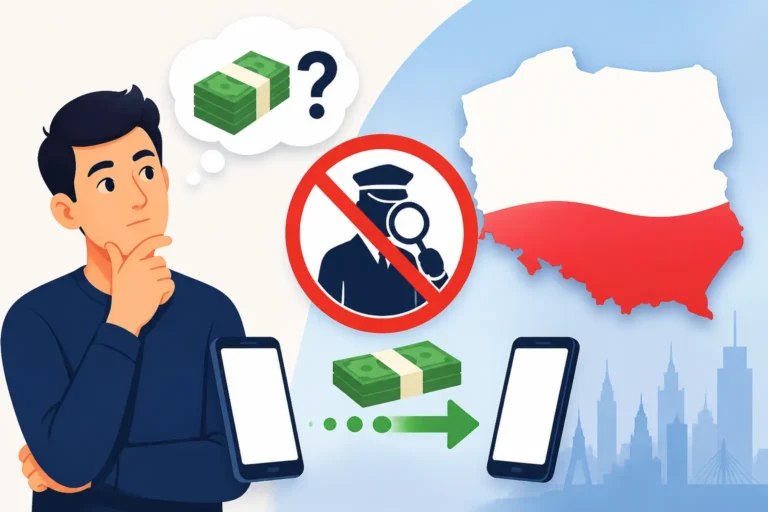
4. Sending Money to Phone Numbers (Przelew na Telefon BLIK):
- This is another fantastic feature. If the recipient also has BLIK enabled and linked to their phone number, you can send money directly to their phone number without needing their bank account details.
- In your banking app, go to the BLIK section or "Transfers," and look for "Przelew na Telefon BLIK" (Transfer to Phone Number BLIK).
- Select the contact from your phone book (if they are BLIK users) or manually enter their phone number.
- Enter the amount and a description.
- Confirm the transfer. The money arrives instantly, 24/7, even between different banks. It's perfect for splitting bills with friends or sending a quick payment.
BLIK truly simplifies financial transactions and makes living in Poland a lot smoother. It's one of those things you'll quickly adopt and wonder how other countries manage without!
Managing Your Finances Online: Beyond the Basics
Online banking in Poland offers far more than just checking your balance. It’s a powerful tool for managing all aspects of your financial life, from international transfers to routine bill payments. Getting familiar with these features will empower you to handle your money with confidence.
International Transfers and Exchange Rates
For expats, sending and receiving money internationally is a common need, whether it's supporting family back home, paying for services abroad, or transferring funds between your Polish and foreign accounts. Polish banks offer international transfer services, but they can sometimes be slow and carry less favorable exchange rates and higher fees, especially for smaller amounts. This is where services like Wise (formerly TransferWise) really shine.
Many expats find third-party platforms like Wise indispensable for international money transfers. They often offer significantly better exchange rates (mid-market rate) and lower, transparent fees compared to traditional banks. Plus, the transfer times are typically much faster. You simply link your Polish bank account to Wise, initiate the transfer, and the money is sent to your recipient's account in their local currency. It integrates seamlessly with your online banking for the initial transfer of funds. Always compare the rates and fees before making a transfer, but for most international transactions, Wise often comes out on top for speed and cost-effectiveness. Our guide on How Much Does It Cost to Send Money Abroad from a Polish Bank? provides a detailed comparison.
Paying Bills and Setting Up Direct Debits
Paying bills in Poland through online banking is incredibly efficient. Most services, like utilities, internet, and phone, provide you with an individual bank account number (rachunek bankowy) for payment.
Regular Transfers (Przelew krajowy):
- In your online banking portal or app, select "Transfer" (Przelew).
- Choose "Domestic Transfer" (Przelew Krajowy) or "Standard Transfer."
- Enter the recipient's bank account number, the amount, the recipient's name (often the company name, e.g., "Orange Polska"), and a clear description (e.g., "Opłata za prąd – styczeń" for electricity bill in January, or your customer ID number).
- Confirm the transfer using your authorization method (SMS code, app push notification, or token).
Setting up Direct Debits (Polecenie Zapłaty):
For recurring bills like rent, subscriptions, or monthly utility payments, direct debits are a lifesaver. This is called "Polecenie Zapłaty" in Polish.
- This usually requires you to fill out a form provided by the service provider (e.g., your landlord, a gym, or a utility company) and submit it to your bank.
- Once set up, the agreed-upon amount will be automatically deducted from your account on the due date.
- You retain control, as you can cancel a direct debit through your online banking or by contacting your bank.
For routine payments, direct debits are invaluable. For everything else, manual online transfers are quick and easy. Many service providers also integrate with BLIK payments, allowing you to pay your bills by simply generating a code in your app and entering it on their website. For more details, check out How Do I Set Up Direct Debit for Bills in Poland?.
Leveraging Mobile Banking Apps for Everyday Life
Polish mobile banking apps are, in my experience, some of the best and most feature-rich in Europe. They go far beyond just checking your balance and making transfers. They truly become your financial command center.
Here's what you can expect and how to leverage them:
- Instant Notifications: Get immediate alerts for every transaction, both incoming and outgoing. This helps you keep track of your spending and spot any suspicious activity quickly.
- Card Management: Block/unblock your debit card, change spending limits, set ATM withdrawal limits, and even order a replacement card directly from the app.
- Currency Exchange: Many apps allow you to open a multi-currency account or exchange currencies within the app at competitive rates, which is handy if you frequently deal with other currencies.
- Investment Options: For those interested, some banks offer basic investment functionalities (like mutual funds or savings bonds) directly through their apps.
- Loan Applications: You can often apply for small personal loans or overdrafts with just a few taps, subject to eligibility.
- Access to Documents: Download bank statements, transaction confirmations, and other official documents needed for tax purposes or administrative tasks. This is incredibly useful for staying on top of your financial records. Our "Taxes for Expats" resource might also be useful here for understanding what documents you need for filing your annual tax return (PIT).
- Ticket Purchases: Some apps even integrate with public transport ticket systems, allowing you to buy bus or tram tickets directly.
Embrace the mobile app. Spend some time exploring all its features. It will significantly simplify your financial life in Poland and give you a sense of control that’s invaluable when living abroad.
| Feature / Bank | PKO BP | Santander | mBank | ING Bank Śląski | Bank Pekao SA |
|---|---|---|---|---|---|
| English App/Online | Yes | Yes | Yes | Yes | Yes |
| BLIK Integration | Yes | Yes | Yes | Yes | Yes |
| Account Fees (Monthly) | Varies, often free with activity | Varies, often free with activity | Varies, often free with activity | Varies, often free with activity | Varies, often free with activity |
| International Transfers | Standard | Standard | Standard | Standard | Standard |
| Expat Support | Good | Good | Very Good | Very Good | Good |
| Physical Branches | Extensive | Extensive | Moderate | Moderate | Extensive |
| Multi-currency | Available | Available | Available | Available | Available |
Note: Fees and specific conditions can change, always check the bank's current offerings and terms.
Common Challenges and Troubleshooting for Expats
Even with the best preparation, you might encounter a few bumps along the road with Polish online banking and BLIK. Don't worry, these are usually solvable, and knowing what to expect can ease the stress.
Account Freezes and Verification Issues
It can be incredibly frustrating to log in only to find your account frozen, or a payment declined without explanation. This often happens due to enhanced security protocols or if the bank flags unusual activity. For expats, this can sometimes be triggered by:
- Large or Unusual Transactions: If you suddenly receive a large transfer from an unfamiliar source or make an unusually large payment, the bank's fraud detection system might temporarily freeze the account for verification.
- Outdated Documents: If your ID, visa, or residence permit has expired, or if the bank requests updated information (e.g., proof of current address or employment) and you haven't provided it, your account might be restricted.
- Suspicious Login Attempts: Multiple failed login attempts or attempts from unusual locations can also trigger a freeze.
What to do:
- Contact Customer Support Immediately: Use the bank's official hotline. If you don't speak Polish, ask for an English-speaking agent. They can tell you why the account was frozen and what steps are needed to unblock it.
- Be Prepared to Provide Documentation: Have your ID, PESEL, and any other relevant documents ready to send to the bank if requested.
- Be Patient: Sometimes these processes take a little time, especially if the bank needs to conduct a thorough investigation.
While inconvenient, these measures are usually in place to protect your money from fraud, which is something we all appreciate, even if it causes a temporary headache.
Security Tips for Online Banking and BLIK
Security is paramount when it comes to your finances. Here are some essential tips to keep your Polish online banking and BLIK accounts safe:
- Strong, Unique Passwords: Use complex passwords for your online banking and mobile app, and don't reuse them on other sites. Consider using a password manager.
- Two-Factor Authentication (2FA): Always enable 2FA if your bank offers it (most Polish banks use SMS codes or in-app push notifications for this). This means even if someone gets your password, they can't access your account without your phone.
- Be Wary of Phishing: Banks will never ask for your full password, PIN, or BLIK code via email, SMS, or phone call. Always check the sender's address and any links carefully. If in doubt, go directly to the bank's official website or call their official customer service number.
- Secure Your Mobile Device: Keep your phone's operating system updated, use a strong screen lock (PIN, fingerprint, face ID), and install a reputable anti-malware app.
- Check Transaction History Regularly: Review your statements and transaction history often to spot any unauthorized activity immediately.
- Never Share Your BLIK Code: A BLIK code is like cash. Only generate it when you are actively making a payment, and never share it with anyone over the phone or via messages. Always confirm the transaction details (merchant, amount) in your app before authorizing.
- Public Wi-Fi Caution: Avoid doing sensitive banking tasks on unsecured public Wi-Fi networks. If you must, use a Virtual Private Network (VPN).
By following these simple steps, you can significantly reduce your risk and ensure your financial dealings remain secure.
Getting Help in English: Customer Support Nuances
This is a big one for many expats. While Polish banks are generally improving their English support, it's not always a seamless experience.
- Dedicated English Hotlines: Some larger banks, like mBank, ING, and Santander, have dedicated English-speaking helplines or options to switch to English when you call their main number. Look for this information on their website.
- In-Branch English Speakers: In major cities (Warsaw, Krakow, Wrocław, Gdańsk, Poznań), larger branches, especially those in central or business districts, are more likely to have staff who speak English. It might be worth a trip to a specific branch known for its international client services.
- Online Chatbots/Support: Many banks offer online chat support, and their chatbots or agents can often communicate in English. This can be a good first point of contact for less urgent queries.
- Prepare Key Phrases: Even if you can get an English speaker, knowing a few key Polish phrases related to banking (e.g., "Mówi pan/pani po angielsku?" – "Do you speak English?"; "Mam problem z kontem" – "I have a problem with my account") can be helpful.
Don't be afraid to be persistent. If you're struggling, politely ask to be transferred to an English-speaking representative. Remember, clear communication is essential, especially when dealing with your money. Sometimes it might take a few attempts to find the right person who can fully understand and address your issue, but the service is there.
Disclaimer
This article is for general informational purposes only and does not constitute professional advice. Laws, prices and regulations vary by location and change over time. Consult a qualified professional for guidance on your specific situation.